How to Track Rent Payments and Rental Expenses Without a Spreadsheet
A simple system for small landlords to track rent, partial and late payments, deposits and expenses, with a 15-minute monthly routine and year-end checklist.
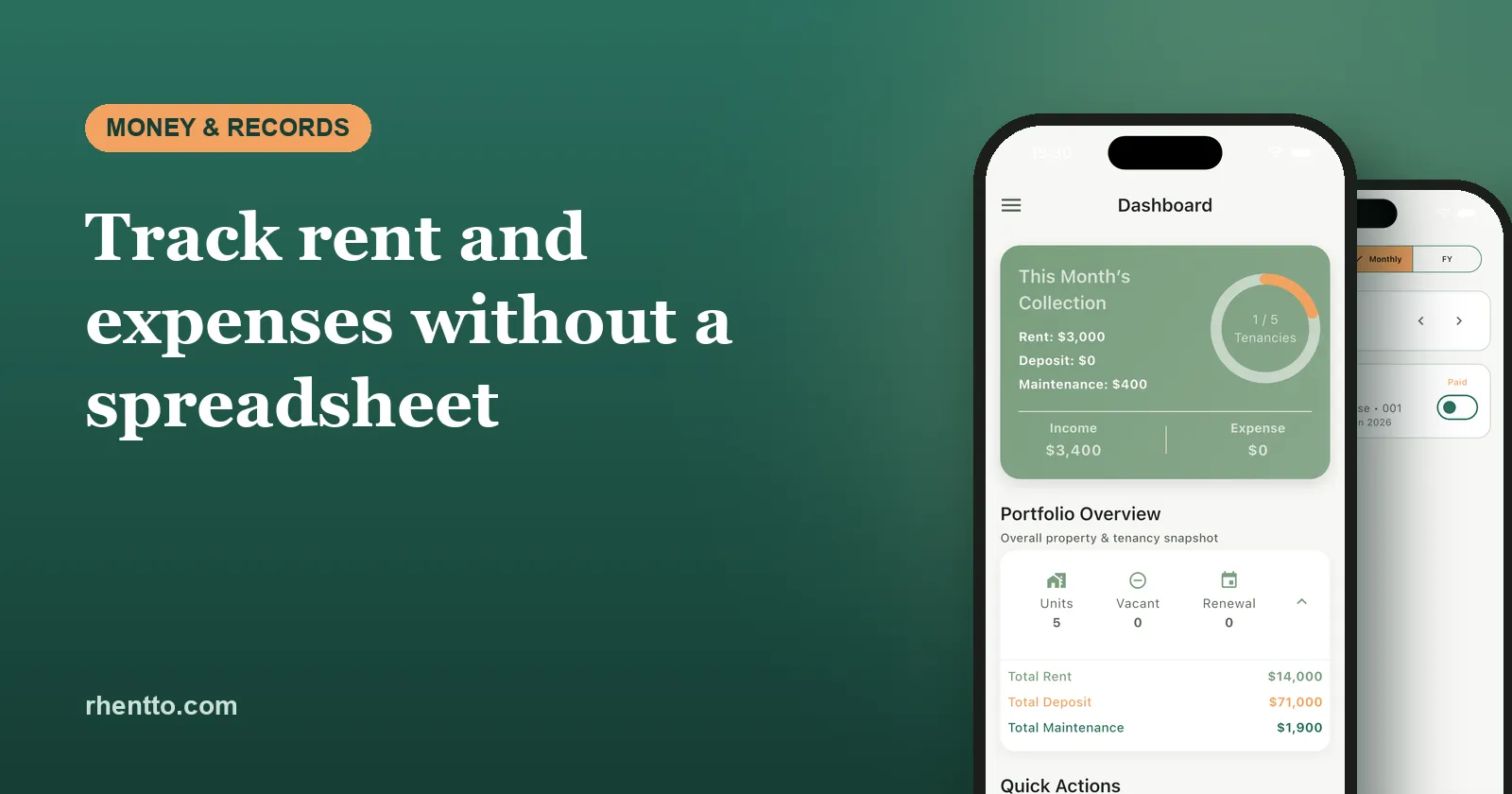
If you let one or two properties, a spreadsheet feels like enough. Then a tenant pays half the rent, another pays three days late, a plumber sends an invoice by WhatsApp, and it’s the end of the tax year. Suddenly you’re scrolling bank statements trying to remember what each transfer was for.
This guide sets out a simple system for tracking rent and rental expenses, one that works whether you use paper, a spreadsheet or an app, plus a 15-minute monthly routine that keeps everything up to date.
Why spreadsheets stop working
Spreadsheets aren’t bad. They just weren’t built for the way rent actually arrives. The usual problems:
- Partial and late payments don’t fit neatly into a “paid” column, so balances drift out of date.
- One broken formula can quietly throw off every total below it.
- They’re awkward on a phone, which is where most landlords are when a tenant says they’ve paid.
- Receipts and invoices live somewhere else: email, WhatsApp, a kitchen drawer.
- Nothing reminds you. A spreadsheet won’t tell you rent is overdue or a tenancy is up for renewal.
- Year-end is painful because the figures have to be rebuilt into the format your tax return needs.
If two or more of these sound familiar, it’s time for a simpler system.
What you actually need to track
Rent and other income
For every tenancy, record:
- Rent due: amount and due date for each period
- Rent received: date, amount and payment method
- Status: paid, partial, overdue or pending
- Balance: what’s still owed, carried forward if needed
- Other income: parking, utilities recharged to the tenant, late fees you’re allowed to charge
Security deposits (separately)
A deposit usually belongs to the tenant until the tenancy ends, so don’t mix it with rent. Record the amount, the date received, where it’s held and, at move-out, any deductions with the reason for each. Our free deposit deduction calculator helps you itemise these fairly.
Expenses
Group expenses into a small set of categories you’ll use every time:
| Category | Examples |
|---|---|
| Repairs and maintenance | Plumber, electrician, repainting, appliance repairs |
| Insurance | Landlord buildings or contents insurance |
| Property taxes and fees | Property tax, council tax on empty periods, licences |
| Service charges | HOA, society or building maintenance fees |
| Utilities | Bills you pay while the property is empty or included |
| Agent and professional | Letting agent fees, accountant, legal fees |
| Finance costs | Mortgage interest and loan fees |
| Other | Advertising, safety certificates, travel to the property |
For each expense, keep the date, amount, category, property, supplier and a photo of the receipt or invoice. Which expenses you can claim against tax depends on local rules, so confirm with an accountant. The job of your records is to make sure nothing is missing.
A 15-minute monthly routine
- Record payments as they arrive. Log each payment against the right tenancy and month the day you see it.
- Check what’s pending two or three days after the due date. Anything unpaid or partial gets a polite reminder. Use one of our ready-to-copy rent reminder messages.
- Send receipts for payments received. It takes seconds with the free rent receipt generator.
- Log expenses with a photo of the receipt, then throw away or file the paper.
- Reconcile at month end. Compare what your records say you received with your bank statement. Every rent payment in the bank should match a record, and every record should match a payment.
- Look ahead. Note renewals, rent reviews or inspections coming up in the next 60 days.
Doing this monthly means year-end is just adding up twelve months you’ve already checked.
At year-end: what your records should give you
Tax years differ. India’s financial year runs April to March, the UK tax year runs from 6 April to 5 April, Australia’s runs July to June, and the US uses the calendar year. Whatever yours is, you should be able to pull out:
- Total rent received per property for the year
- Total expenses per property, by category
- Any rent still owed at year-end
- Deposits held, and any deductions kept
- Copies of receipts, invoices and statements backing up the numbers
Hand this to your accountant, or use it for your own return, without rebuilding anything.
Your options, compared
| Method | Works well when… | Watch out for… |
|---|---|---|
| Notebook or rent book | You have one property and tenants pay cash | Hard to total, easy to lose, no reminders |
| Spreadsheet | You enjoy spreadsheets and have few units | Errors, partial payments, phone use, scattered receipts |
| General accounting software | You already use it for a business | Not built around tenancies, deposits or inventories |
| Landlord app | You want payments, tenants and reminders in one place | Pick one that fits your country and budget |
How to do it in Rhentto
Rhentto is built around the routine above, so there’s no spreadsheet to maintain:
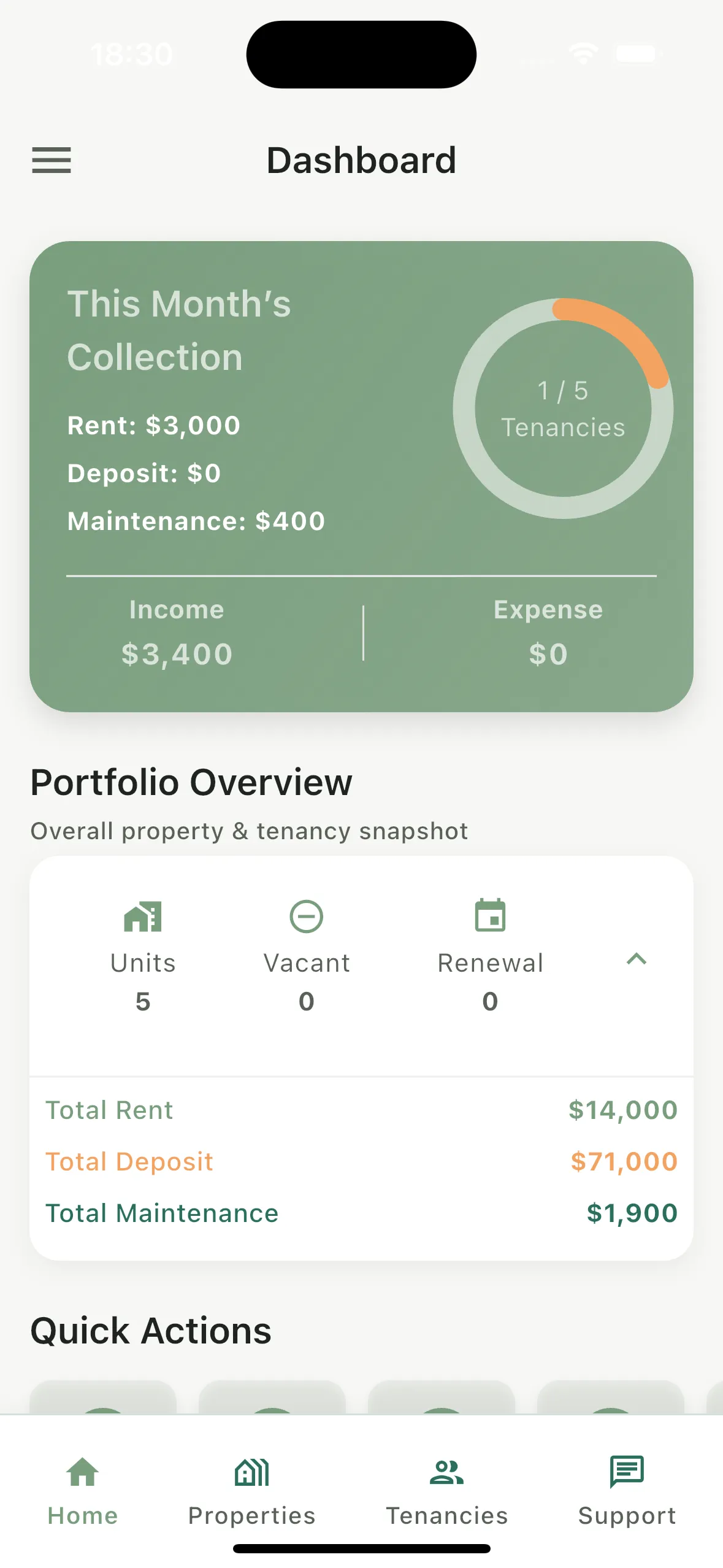
- Dashboard: this month’s rent, deposits and maintenance collected, plus income and expenses at a glance.
- Record payment and record expense as quick actions from the home screen, including partial payments.
- Share a rent receipt with your tenant as soon as you record their payment.
- Pending payments shows every unpaid or part-paid rent by unit, so you know exactly who to remind.
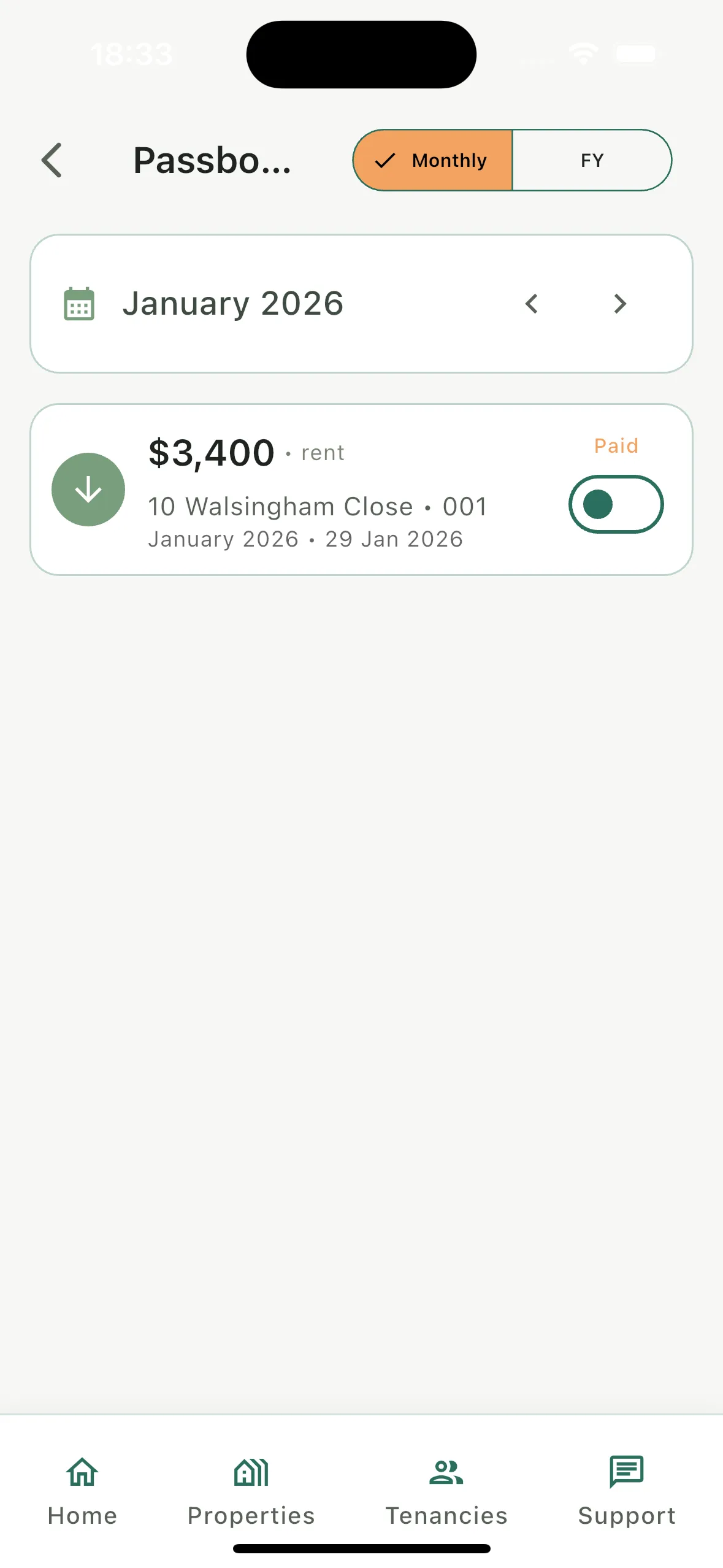
- Passbook shows each tenancy’s payment history by month or by financial year.
- Message templates let you send a reminder by WhatsApp, SMS or email in a couple of taps.
- Financial year summaries of rental income (April to March) make year-end far quicker.
On the free plan your data is stored on your own device, and you can back it up to Google Drive or iCloud. Pro keeps everything synced to the cloud automatically, so you can use it across multiple devices.
The bottom line
You don’t need a complicated system. You need every payment and expense recorded once, against the right tenancy, with evidence attached, and a short monthly check. Do that consistently, whether in a notebook, a spreadsheet or an app, and late rent, deposit disputes and year-end stop being stressful.
Related guides:
Frequently asked questions
What is the easiest way to track rent payments?
Record every payment the day it arrives against the right tenancy and month, including partial payments, and check once a month that what you received matches what was due. A landlord app does most of this for you; a notebook or spreadsheet works if you have one or two properties and stay disciplined.
Should I keep a separate bank account for rental income?
It is not always required, but it makes tracking much easier. When only rent and rental expenses go through one account, reconciling each month and preparing tax figures takes a fraction of the time.
How long should landlords keep rental records?
It depends on the tax rules where you live, but several years is common. Keep receipts, invoices, bank statements and tenancy documents for at least as long as your tax authority can review a return, and longer for anything tied to buying or improving the property.
Should security deposits be counted as rental income?
Usually not while you hold them, because a deposit normally belongs to the tenant and is refunded at the end of the tenancy. Track deposits separately from rent, and record any deductions you keep. How deductions are taxed depends on local rules.
Free tools for this
- Rent Receipt GeneratorCreate printable monthly, quarterly or yearly rent receipts with the amount in words, ready to save as PDF for records or tax claims.
- Rental Yield & ROI CalculatorCalculate gross yield, net yield, monthly cash flow and cash-on-cash return for a rental property, with or without a mortgage.
- Deposit Deduction CalculatorCalculate fair deposit deductions and generate a clear, itemised breakdown for landlords and tenants.
- Rent Increase Calculator & Notice LetterWork out a new rent and the earliest date it can start, then generate a clear rent increase letter to send your tenant.
Keep reading
- 7 Polite Rent Reminder Messages You Can Copy (SMS, WhatsApp & Email)Copy-and-paste rent reminder messages for every stage, from a friendly heads-up to a firm late-rent follow-up, plus tips on timing, tone and what to avoid.
- Move-In Inventory Checklist: Protect Your Security Deposit (Free Template)A room-by-room move-in inventory checklist for landlords and tenants, with photo tips, fair wear and tear examples and how to use it at move-out.
- Rent Receipt Template: Do Landlords Have to Provide One?When landlords must give rent receipts, with examples from New York, California, England and India, what every receipt should include, and a free template.